The mechanical hard drive (HDD) is one of the most important storage devices in computer history. It allows computers to store and retrieve data using magnetic disks. Before the development of solid-state drives (SSDs), HDDS were the primary method of storing data in computers. But they are still widely used today because of their large storage capacity and affordability.
The hard drive played a major role in advancing computing by allowing business and individuals to store large amounts of information efficiently. Without this invention, computers would not have been as practical or widely available.
In this assignment I will discuss the origin of the mechanical hard drive, including its inventor, the year it was created, its initial design and cost, its intended use, and also its impact on technology and society.
The first mechanical hard drive was developed by IBM in 1956 and it was led by engineer Reynold B.Johnson. it was introduced as part of the IBM 305 RAMAC (Random Access Method of accounting and control), which was one of the first computers to use a hard disk for storage.
The first hard drive was very large and heavy, roughly the size of two refrigerators. It had 50 magnetic platters, each 24 inches in diameter and could store only 5 MB of data. Compared to modern hard drives, which can store several terabytes, this was extremely small, but at the time, it was a major breakthrough.
The cost of the first hard drive was extremely high. Instead of selling it, IBM offered it for lease at 3200 dollar per month which was a huge amount of money in the 1950s. because of this, only large companies and government organizations could afford to use it.
The original purpose of the hard drive was to help businesses and government agencies store and access data more efficiently. Before this, computers relied on slower storage methods like punch cards and magnetic tape. The HDD allowed data to be accessed much faster. it made computers more practical for accounting, record-keeping, and other business applications.
The introduction of the mechanical hard drive had a significant had a significant impact on technology. It changed the way data was stored and made computers much more useful. Over time, improvements in hard drive technology led to smaller, cheaper and more powerful storage devices, eventually making personal computers possible. The development of the HDD paved the way for modern digital storage, influencing everything from personal computing to cloud storage today.
The hard drive was invented by IBM in 1956 and was huge, storing only 5 MB of data. Over time, companies like Seagate and Western Digital improved it by making it smaller, faster and capable of holding terabytes. Today, solid state drives (SSD) are replacing traditional hard drives because they are faster and more durable, but hard drives are still widely used in computers and data centers.
Hard drives have transformed industries by allowing fast and reliable data storage. They are crucial in healthcare, software development and entertainment. hospitals use them for patient records, while gaming and movie industries rely on them for large data storage. without hard drives, modern computing and engineering would not have advanced as they have.
Without hard drives, computers would have limited storage and industries like banking and cloud computing would struggle. Businesses would have to rely on slower and less efficient storage methods, making data management much harder.
Hard drives continue to be important for personal and professional use. They have contributed to cloud computing and big data, driving innovation. While SSDs are becoming more common, hard drives remain essential for many applications.
From a bulky machine to a powerful storage device, the hard drive has shaped modern technology. Its impact on engineering and daily life is undeniable. And ongoing advancements will continue to improve data storage in the future.
Component 1: Platter
Description: a thin, circular disk made of metal or glass coated with a magnetic material. It is usually 2.5 or 3.5 inches in size.
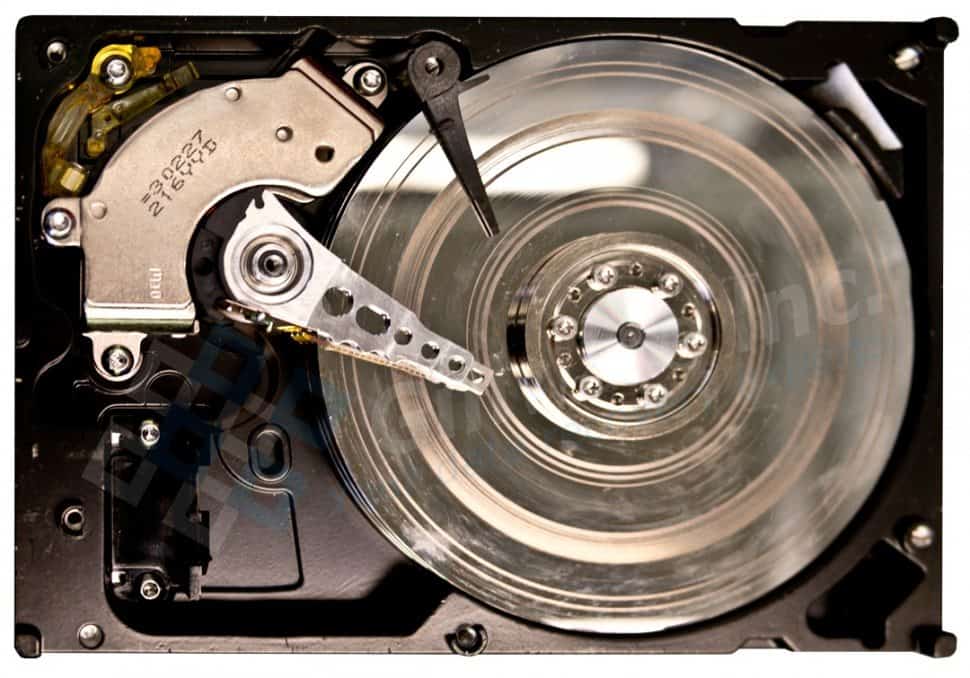
Function: stores data in the form of tiny magnetic charges. It spins at high speeds while the read/write head accesses or saves data.
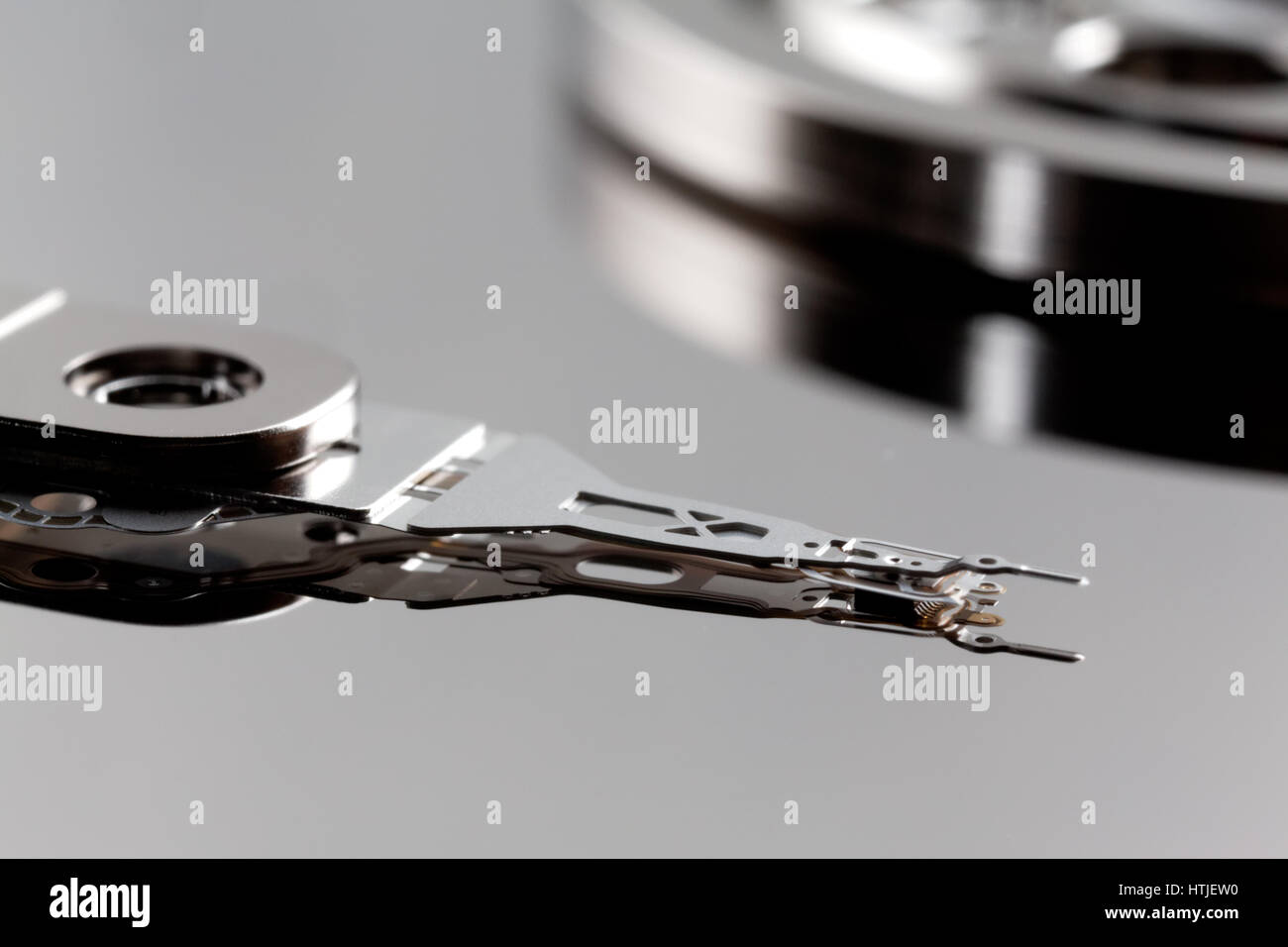
2.Read/write head
Description: a tiny, lightweight arm with a magnetic sensor at the tip, located above the platters.
Function: reads data form and writes data to the platter by detecting and changing magnetic charges.it moves quickly across the platter to access different data points.
3. Spindle motor
Description: a small motor in the center of the platters, usually made of metal and electronic components.
Function: spins the platters at high speeds (like 5,400or 7200 RPM) so the read/write head can quickly access data
4.Acuator arm
Description: a metal arm that extends across the platters and holds the read/write heads.
Function: moves the read/write head across the platter surface to access different data locations.
5.actuator (voicw coil motor- VCM)
Description: the acutator also known as VCM ,is an electromagnetic motor that controls the movement of the acytator arm. It is usually made of copper coils and magnets that generate movement using electrical currents.
Function: the acutator moves the arm with extreme precision, ensuring that the read/write heads are positioned accurately over the platters.this movement happens in milliseconds,allowing the hard drive to access data quickly.
6. controller board
Description: the controller board is a green electronic board attached to the bottom of the hard drive. It contains microchips, circuits and connectors that manage data flow.
Function: the controller board acts as the brain of the hard drive. It controls the movement of the actuator arm, manages data transfer between the drive and the computer, and ensures that the drive operates correctly.
7. Cache
Description: the cache is a small a mount of high-speed RAM (usually 8MB to 256 MB) located on the controller board.
Function: the cache temporarily stores frequently accessed data, improving the speed of the hard drive. It helps reduce delays by allowing the drive to retrieve commonly used data more quickly.
8. power and data connectors
Description: hard drives have two main connectors:
Power connector: supplies electricity to the drive ( usually a SATA or Molex connector)
Data connector: transfers data between the drive and the computer.
Function: the power connector provides the necessary electricity for the hard drive to function, while the data connector allows communication with the computer’s motherboard, enabling file transfers and operations.
In short, mechanical hard drives are affordable and offer large storage but are slower and more fragile than SSDs. They remain useful for backups and budget-friendly storage.

This entry is licensed under a Creative Commons Attribution-NonCommercial-ShareAlike 4.0 International license.

